
Whether you’re playing locally or online, here’s a straightforward guide to setting up and using the multiplayer features in Stardew Valley for those cozy gaming nights with friends, family and loved ones:
Step 1: Start Stardew Valley and Select Multiplayer
After launching Stardew Valley, the multiplayer option appears on the main menu. This is where you choose either “Local Co-Op” for split-screen or “Online” to play with friends on separate consoles or devices.

Step 2: Setting Up Local Split-Screen (Couch Co-Op)
- Create or Load a Farm: Start a new farm or open an existing one.
- Open the Multiplayer Settings: If you’re starting a new farm, you’ll have an option to set it up for multiplayer. For an existing farm, go to the in-game settings and select the “Split-Screen” option.
- Connect a Controller or Keyboard: For the second player, connect a separate controller or keyboard to join in. They can then create their character and start playing.
Step 3: Inviting Friends for Online Multiplayer
- Host a Game: In the multiplayer menu, select “Host Game.” You can invite friends through your platform’s friends list or send them an invite code.
- Joining a Farm: Friends joining online can enter the invite code to connect directly to your game. Or use the local communication option on Nintendo Switch.
- Playing Together: Once in the game, you and your friends are free to explore the farm, complete quests, and enjoy the Stardew Valley world together. You’ll each have your own in-game space to customize and manage.
Step 4: Making the Most of Your Shared Farm
- Dividing Tasks: Agree on how to divide tasks based on your play styles. One player might handle farming, while another focuses on fishing or mining. And most important, enjoy working together, bring out the snacks and blankets and explore the game.
- Communicating and Cooperating: Communication is key. The multiplayer mode allows for both in-game chat and cooperative gameplay. You’ll find that working together makes each task more rewarding, from watering crops in half the time to gathering double the resources in the mines. So don’t forget to explore the mines together on a rainy day!
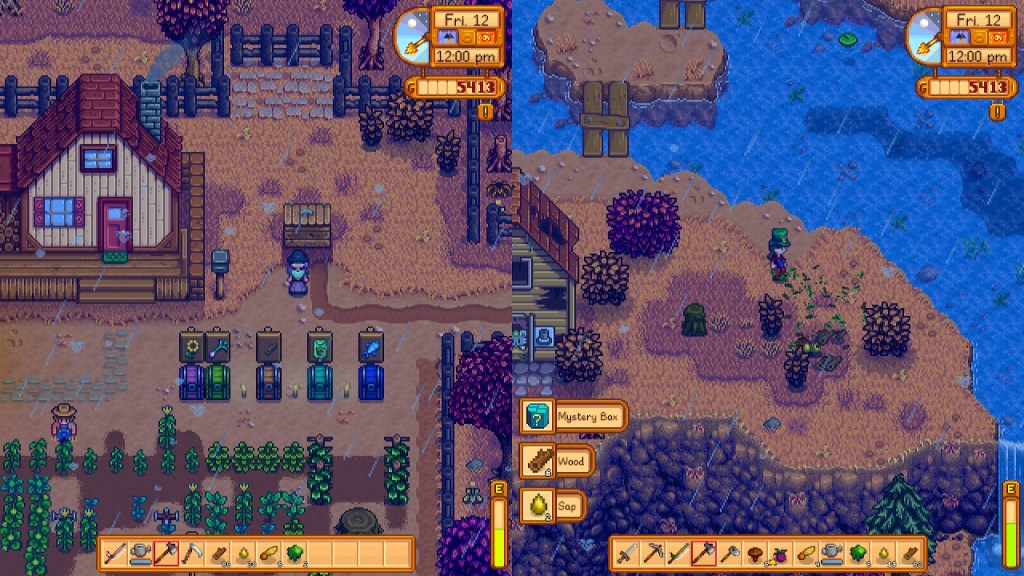
Step 5: Exploring Multiplayer-Specific Content
There are some events, festivals, and new content specifically designed for multiplayer in Stardew Valley. Take advantage of these unique experiences with your co-op partner for even more fun. Some festivals are particularly delightful to experience with a friend, where you can participate in mini-games, take seasonal snapshots, and enjoy in-game activities that feel like a virtual holiday together.

One response to “Step-by-Step Guide: Getting Started with Stardew Valley Multiplayer”
-
Thank you, this was very cozy and helpful.
LikeLike

 Cozy Games News
Leave a comment